Every log.
One window.
Capture your Mac, your iPhone and your own app side by side, search millions of rows at once, and ask what went wrong in plain words.

Logs shouldn't scroll away.
Every capture in TJLog becomes a session. It stays on disk when you stop, stays searchable next week, gets compared with the sessions before it, and travels to a teammate as one file. When the stream outruns the screen, TJLog slows the source down instead of dropping lines.
Built for the bug you're chasing today.
Three sources, one app
This Mac's unified log, an iPhone or iPad over a cable or Wi-Fi, and your own app through a single Swift file, TFLogger.
Every row, in order
Bounded queues push back to the source, so a busy Mac at 30,000 rows a second still keeps every line. If macOS skips messages itself, TJLog tells you.
Search the whole session
Search reads every stored row, not just what's on screen. Seven million rows fit in about 84 MB.
Questions, not regex
“Errors in Brewly in the last 5 minutes” becomes app, level and time chips you can see and remove.
On-device analysis
Restarts, error bursts, loops and errors that are new since your earlier sessions, summarized by Apple's on-device model.
Live alerts
Watch a process for restarts and hear about new error patterns and bursts while the capture runs.
Crash reports
Fetched from the device when a capture stops, and lined up with the restart they explain.
Export what you filtered
Plain .log, .jsonl or .csv for scripts, or a .tjlogpack for another Mac.
From noise to the line that matters.
- Capture
- Filter
- Search or Ask
- Analyze
- Share
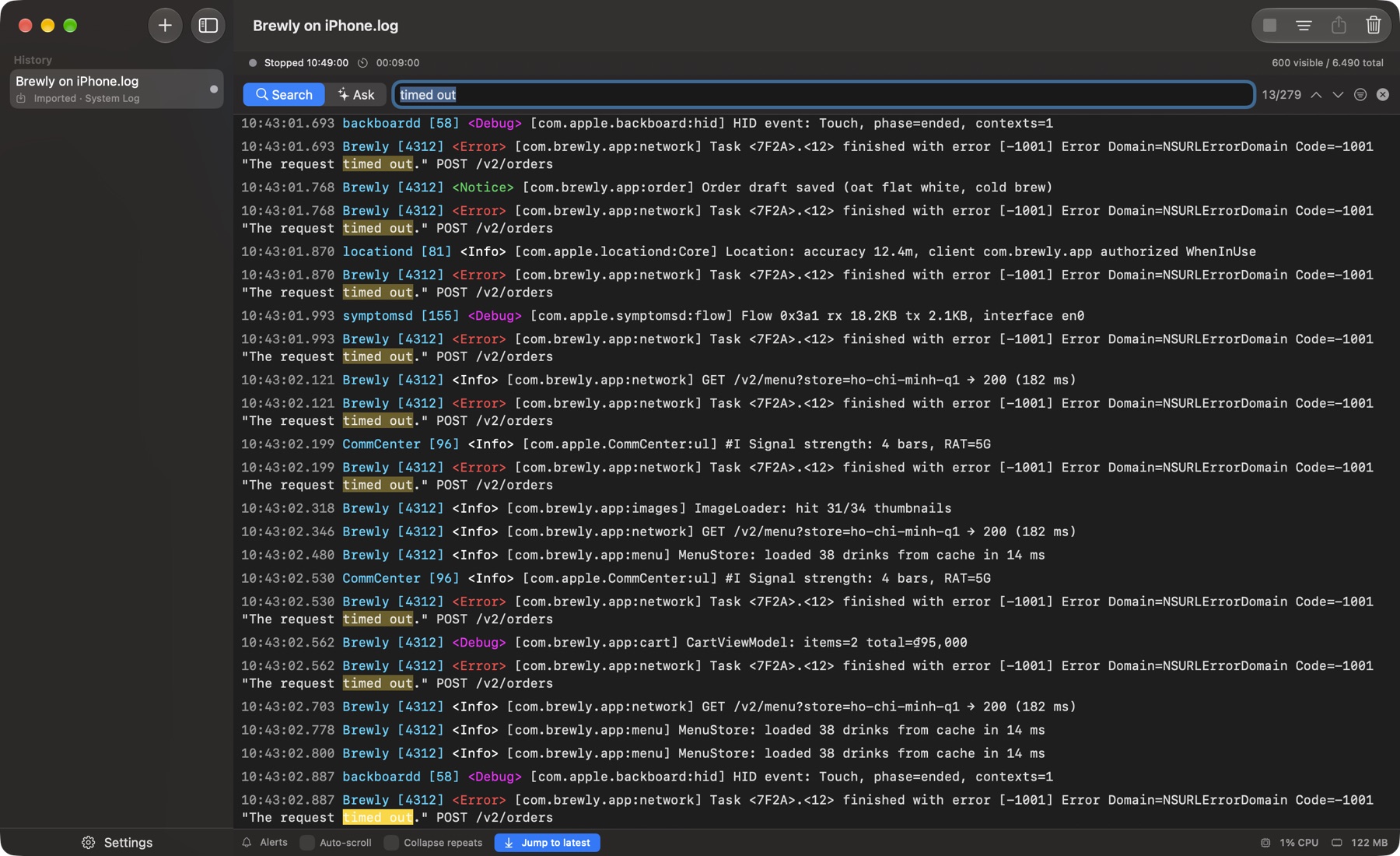
Search that jumps to the answer
Type a phrase and step through every match, even ones far off screen. Here: 279 timeouts in a nine-minute session, highlighted in place.
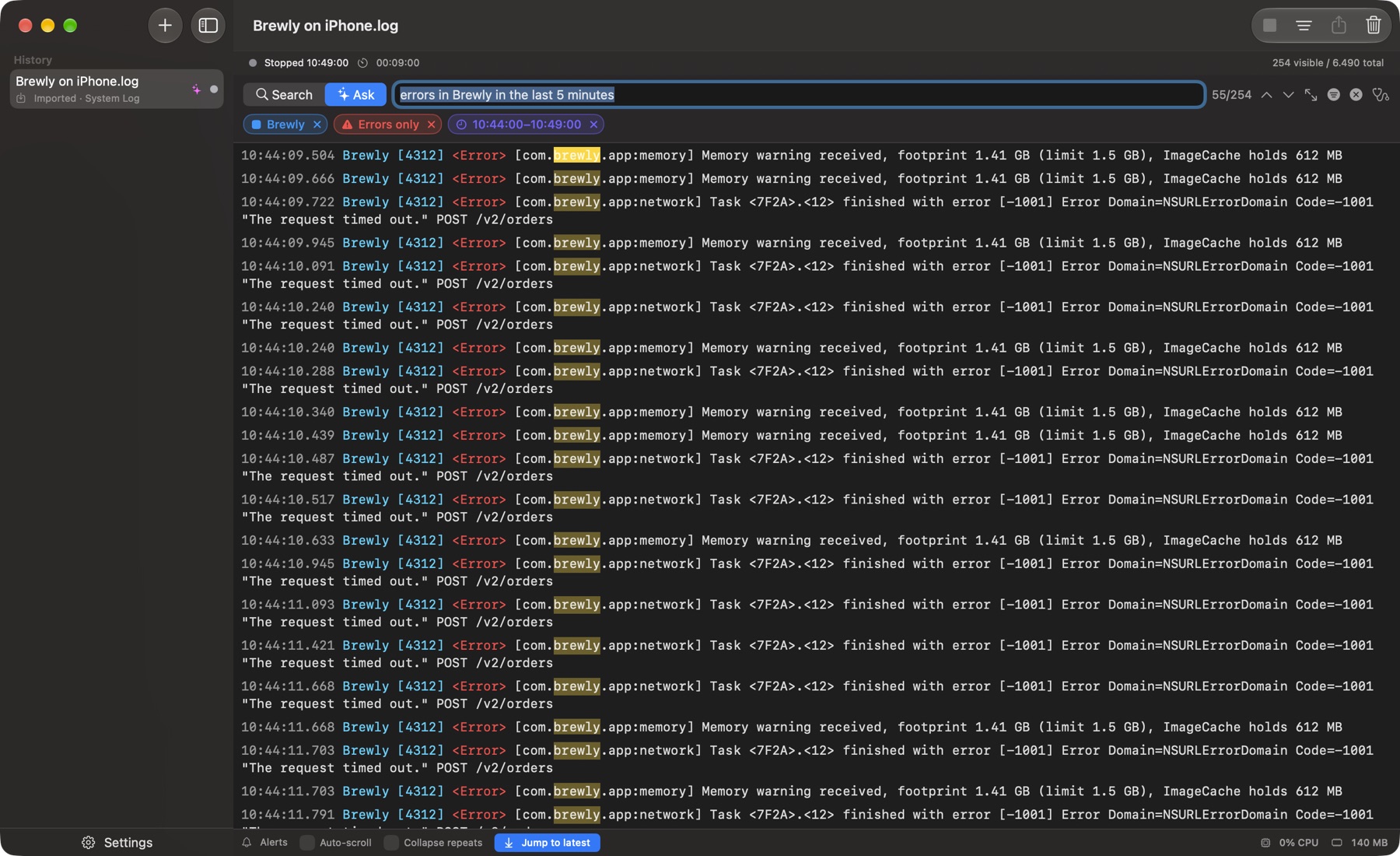
Ask like you'd ask a teammate
Ask reads the app, the level and the time window out of your question and shows each as a chip.
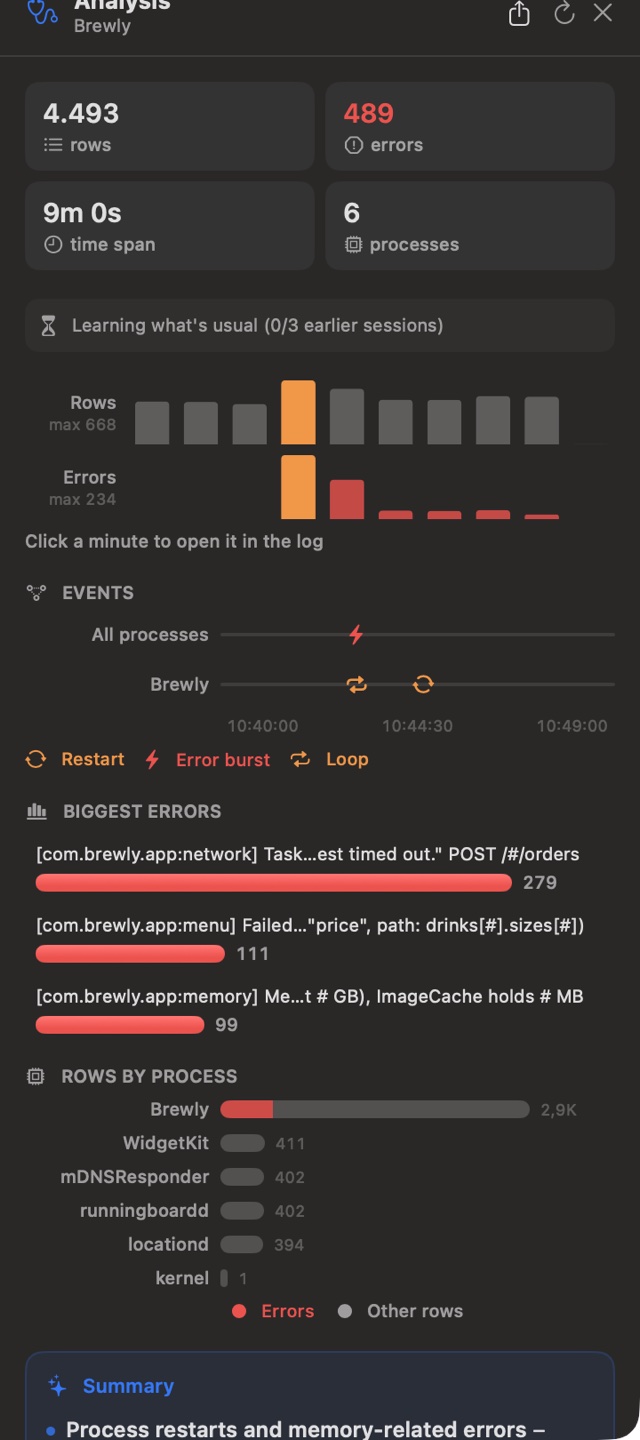
What changed, without reading 6,490 rows.
“Anything unusual in Brewly?” opens a panel built from the session itself: rows and errors per minute, restarts and bursts on a timeline, the biggest error patterns and which processes produced them.
After a few sessions TJLog learns what's usual for each app and tells new errors apart from everyday noise. The written summary comes from Apple's on-device model and never leaves the Mac.
Hand over the whole session.
Brewly checkout timeouts.tjlogpack
One file holds what a teammate needs to pick up where you stopped. Double-click it on another Mac and it opens in History, ready to search.
A Mac app, not a web page in a box.
- Swift and SwiftUI, with a custom AppKit log view that lays out only the rows on screen
- Light and Dark, keyboard shortcuts, nine languages
- A short welcome and a guided tour the first time you open it
- In-app updates
Your logs stay on your Mac.
TJLog never uploads captured logs. Analysis runs on-device. Before you export, TJLog reminds you that logs can hold names, emails, locations and tokens.
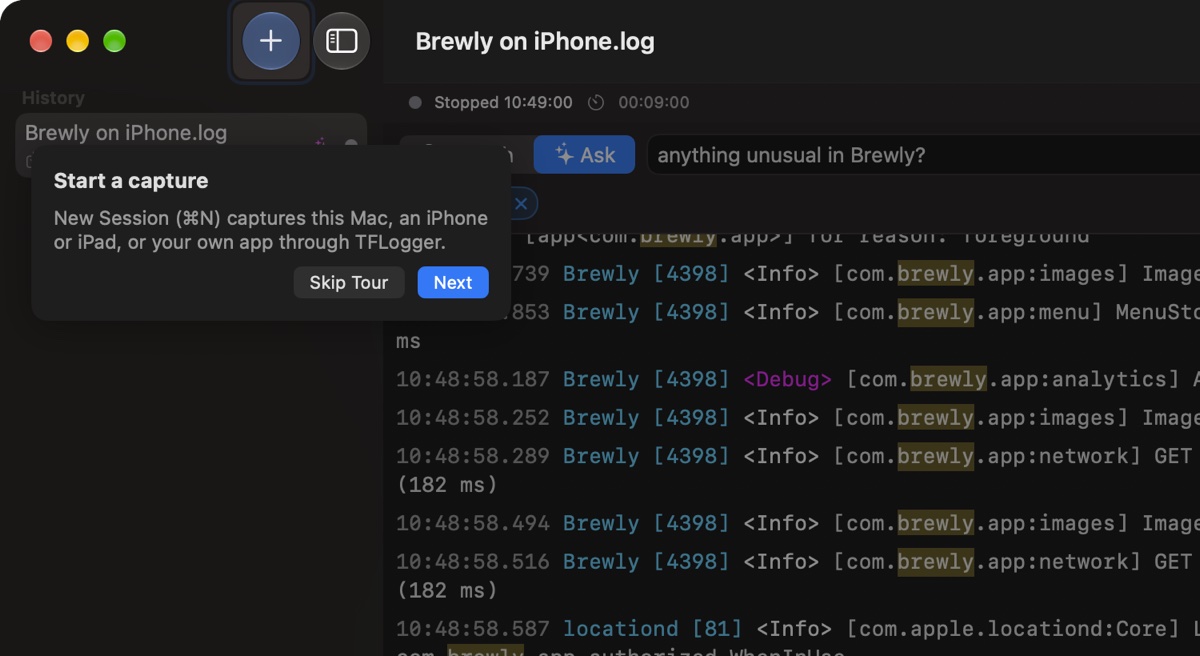
Pick your sources, then take the tour
The welcome asks which logs you plan to read and shows how to start each one. A short tour then points at the controls in the real window.
Start with the log you have open in Console.
Checking for the latest version…
Why I built TJLog
I build iOS and macOS apps, and half of debugging is reading logs. Console shows one device at a time, scrolls away the moment something interesting happens, and forgets everything when you close it.
I wanted the logs from my Mac, my phone and my own app in one place: kept, searchable, and able to tell me what changed since yesterday. TJLog started as that tool for myself. Every feature exists because I needed it on a real bug.
— NguyenHungA5
On the bench.
- What happened right before a crash, on one strip
- Charts that compare with earlier sessions
- Quieter alerts for busy system logs
- Filter presets you can share
- Ask in more languages