Native · Built with Swift · macOS

Network debugging,
the way macOS intended.

TonyProxy helps developers inspect HTTP and HTTPS traffic, replay requests, debug APIs, and collaborate using portable session archives — without leaving a native interface.

macOS 14 Sonoma or later · Apple Silicon & Intel · Free to try

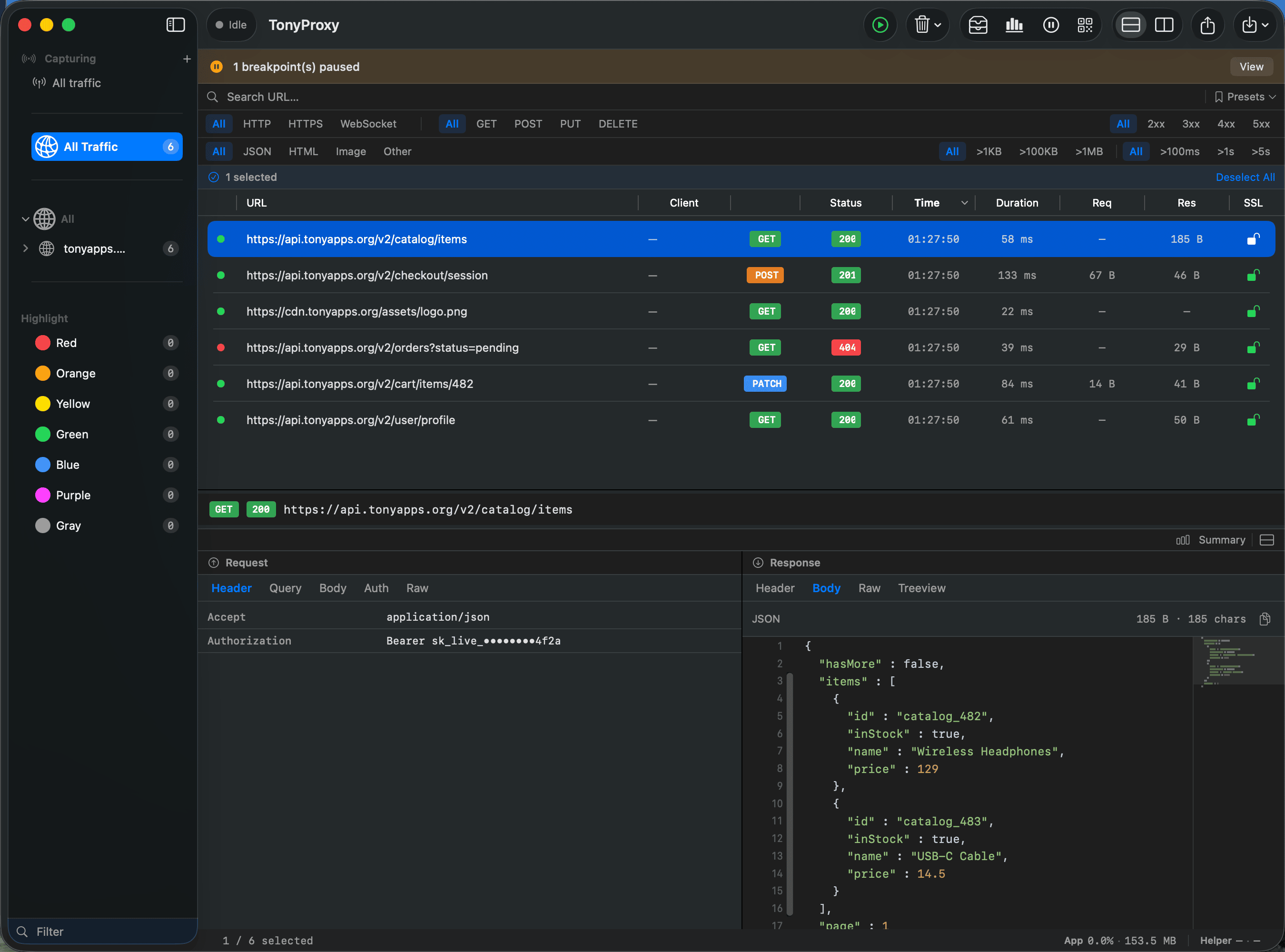
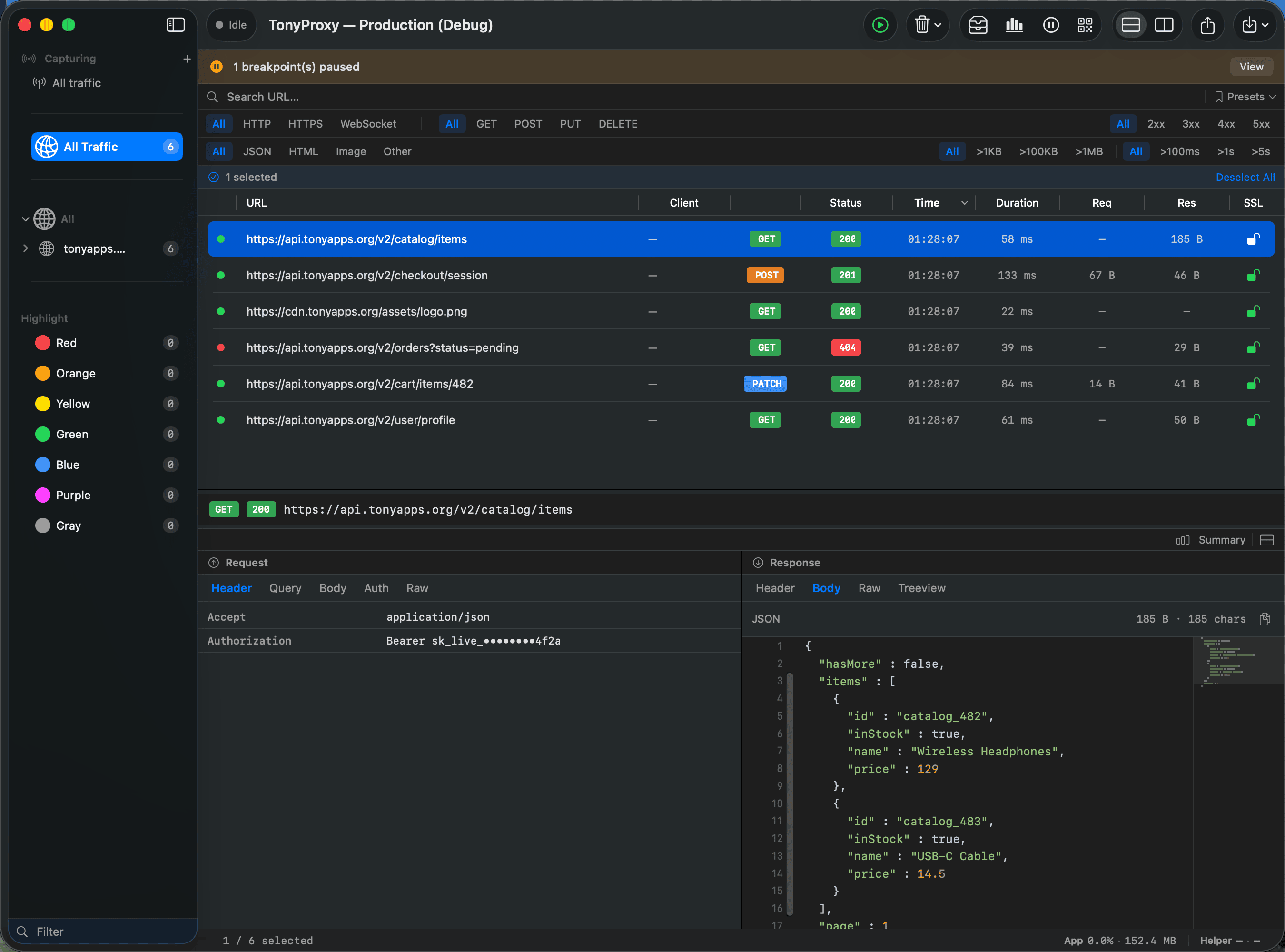
TonyProxy — api.tonyapps.org
TonyProxy main window showing captured traffic and a JSON response body
Capture. Inspect. Replay. Share.

Most proxy tools treat captured traffic as temporary logs.

TonyProxy treats traffic as part of your project.

Replayed Inspected Exported Restored Shared Archived

Nothing gets lost.

Key Features

Everything you need to understand your traffic.

Capture

Every request, in real time. HTTP, HTTPS, HTTP/2, and WebSocket traffic, organized automatically into sessions as it happens.

HTTPHTTPSHTTP/2WebSocket

Inspect

Headers, query parameters, cookies, JSON, HTML, images, binary and raw data — all readable at a glance. Large payloads stream efficiently.

HeadersJSONImagesRaw

Replay

Resend any request with a single click — for backend debugging, API testing, and reproducing bugs.

Breakpoints

Pause requests before they're sent. Modify the URL, headers, body, or cookies, then continue.

Map Local

Replace remote responses with local files — for frontend development, offline testing, and UI iteration.

Map Remote

Redirect requests to another server — production to staging to localhost — without touching application code.

JavaScript Scripting

Rewrite headers, inject authentication, modify JSON, or simulate backend behavior dynamically.

Analytics

Requests, bandwidth, top domains, status codes, latency, and a full request timeline — visualized instantly.

Smart Filters

Capture only what matters, with whitelist, blacklist, domain, process, and device filters.

Certificate Management

Install HTTPS certificates in one click, with QR codes for iPhone and iPad, and built-in status checking.

Session Management

Active sessions and history, organized automatically, with export, import, statistics, and storage usage.

TonyPack

A complete session archive format. Export on one machine, import on another — everything stays intact.

Rewrite Rules

Automatically rewrite headers, URLs, or bodies as traffic passes through — no breakpoint required.

Workflow

From capture to sharing, in one flow.

Capture Inspect Modify Replay Export Share

Screenshots

See it in action.

Request Inspector

Every detail, without digging.

Headers, cookies, and body content are laid out side by side. JSON collapses into a readable tree, and large payloads stream in without freezing the interface.

  • Collapsible JSON, HTML, and XML trees
  • Image, font, and binary previews
  • Raw view for exact byte-for-byte payloads
Request Inspector
TonyProxy request and response detail panel with headers and JSON body
Breakpoints

Catch it before it leaves.

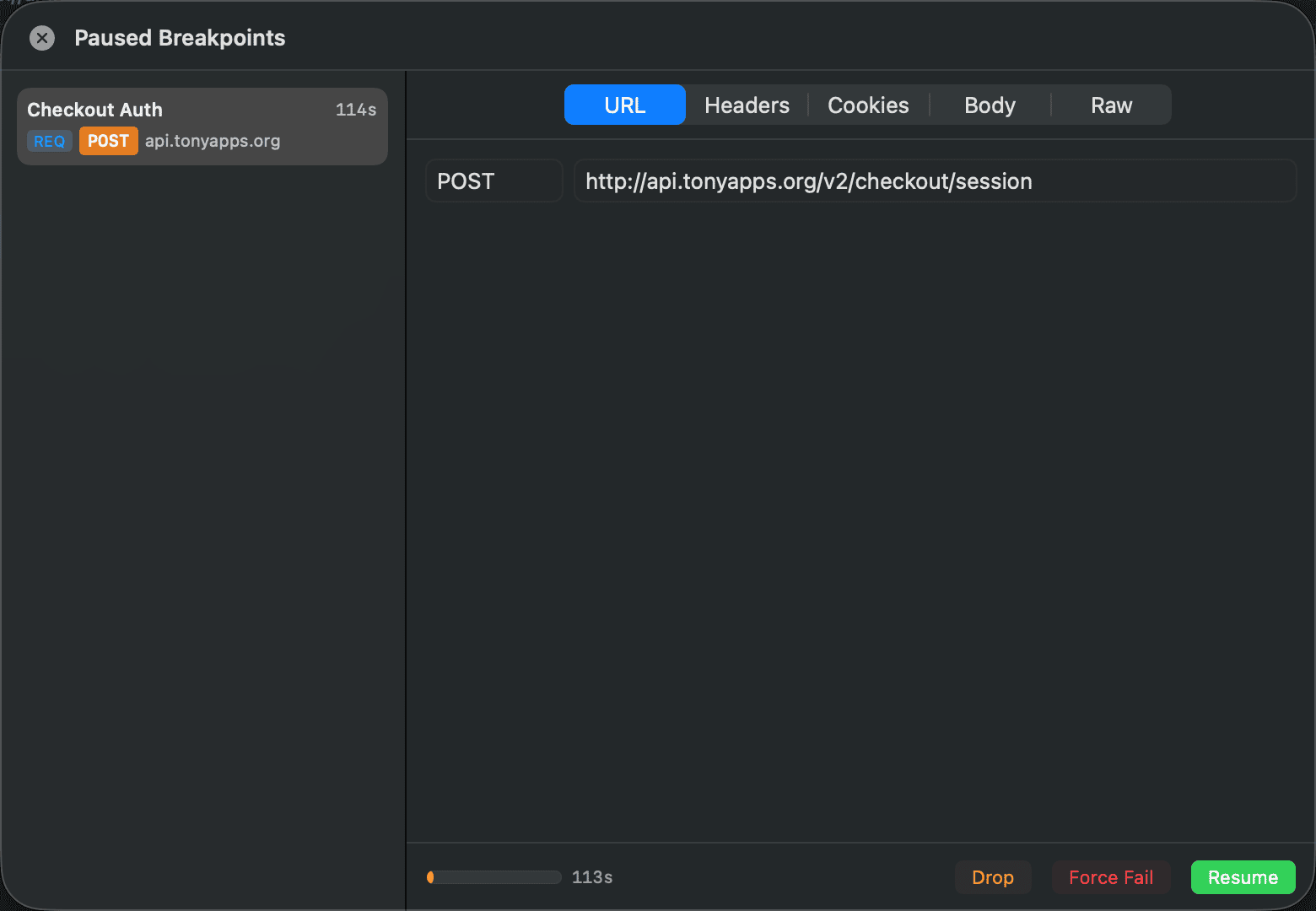
Pause a request mid-flight and edit anything about it — then let it continue, exactly as you shaped it.

  • Edit URL, headers, body, and cookies live
  • Match by domain, path, or method
  • Resume, drop, or force-fail on demand
Breakpoint — POST /v2/checkout
TonyProxy paused breakpoint on a POST request, with Resume and Abort actions
Map Local

Swap the network for a file.

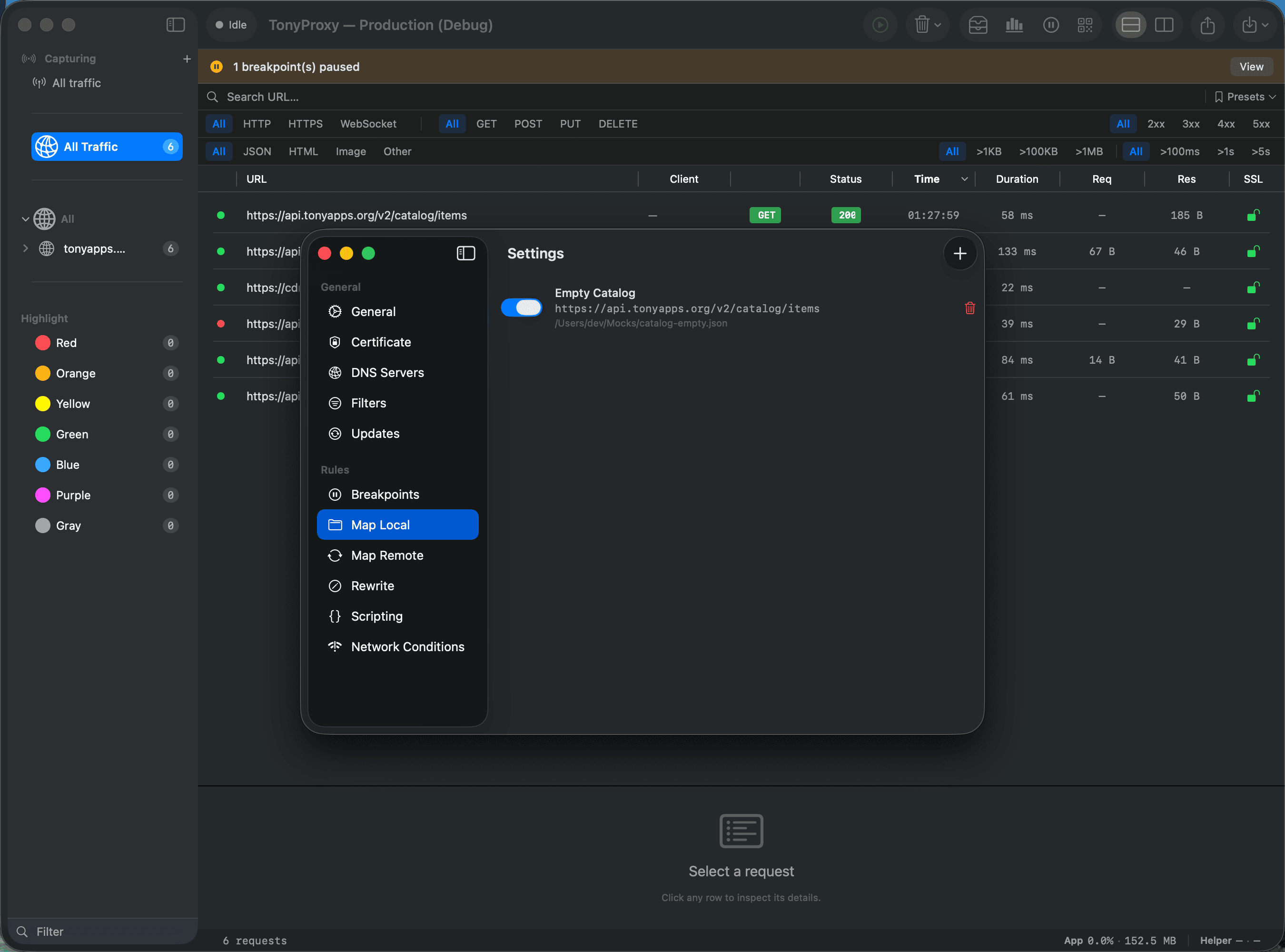
Point any endpoint at a file on disk. The app under test never knows the difference — no backend changes required.

  • Rule-based path matching
  • Instant toggling per rule
  • Works offline, with no server running
Map Local
TonyProxy Map Local settings mapping a request to a local file
Session Management

Sessions, organized for you.

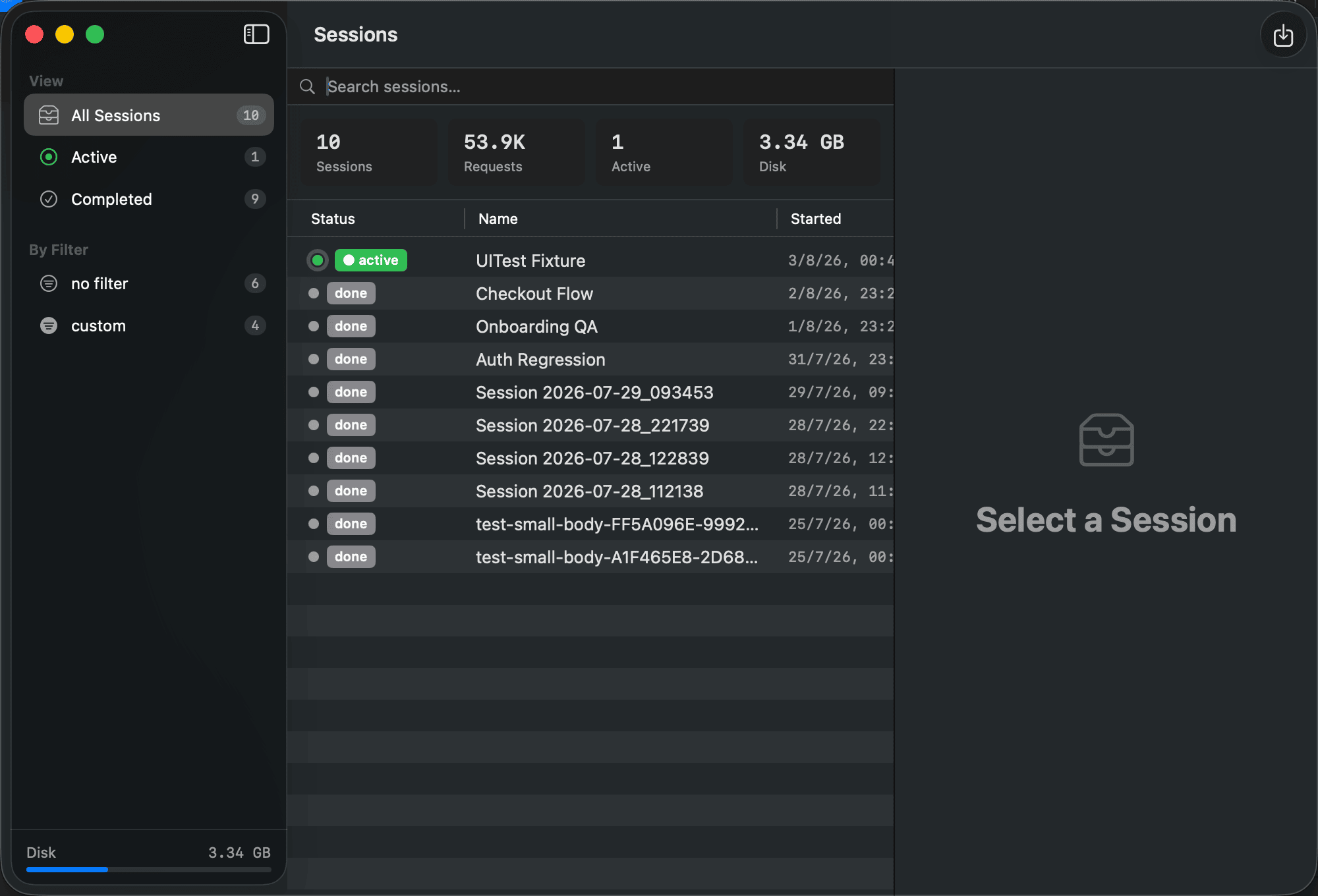
Every capture becomes a session automatically — searchable, exportable, and never mixed up with the last one.

  • Active sessions and full history
  • Export, import, and duplicate in one click
  • Storage usage always visible
Session Manager
TonyProxy Session Manager listing active and completed capture sessions
Export

Take it with you.

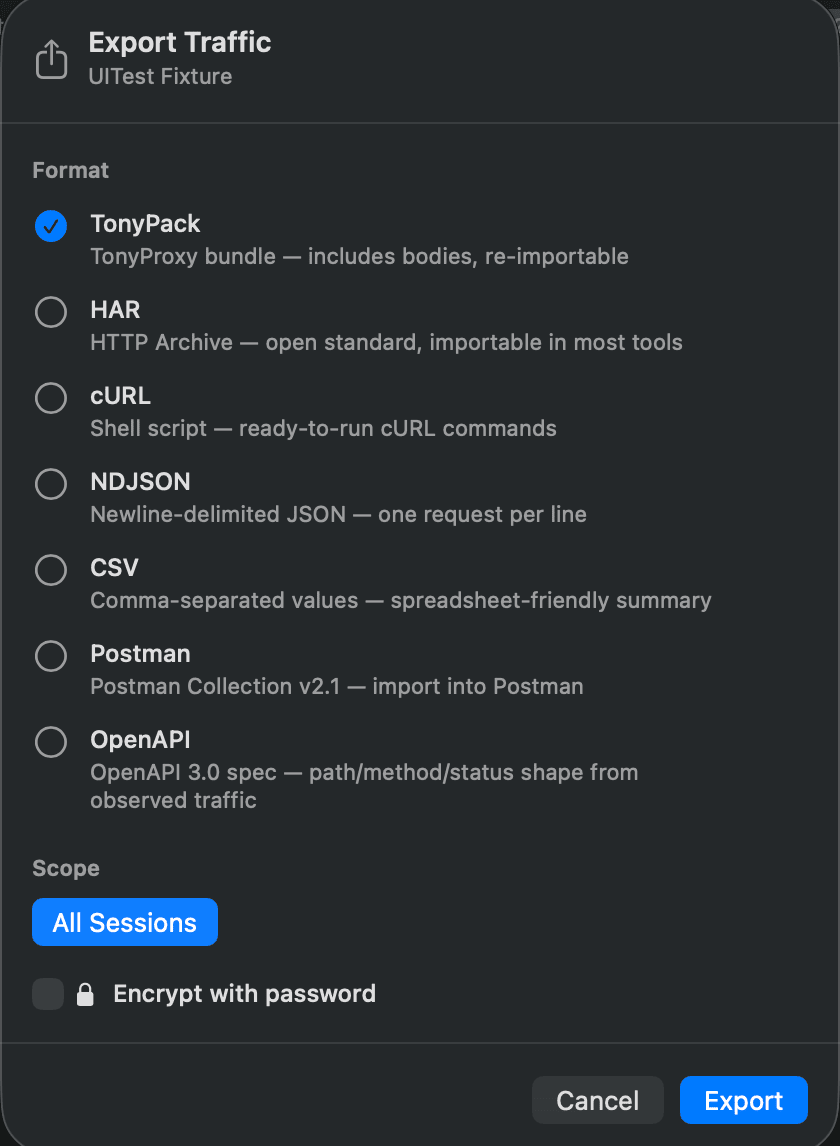
Export a session or your whole history in the format your next step actually needs — no manual conversion.

  • HAR, cURL, NDJSON, TonyPack, CSV, Postman, OpenAPI
  • Export one session or every session at once
  • TonyPack round-trips bodies for re-import later
Export Traffic
TonyProxy export dialog with HAR, cURL, NDJSON, TonyPack, CSV, Postman, and OpenAPI formats
Settings

Configured the way you work.

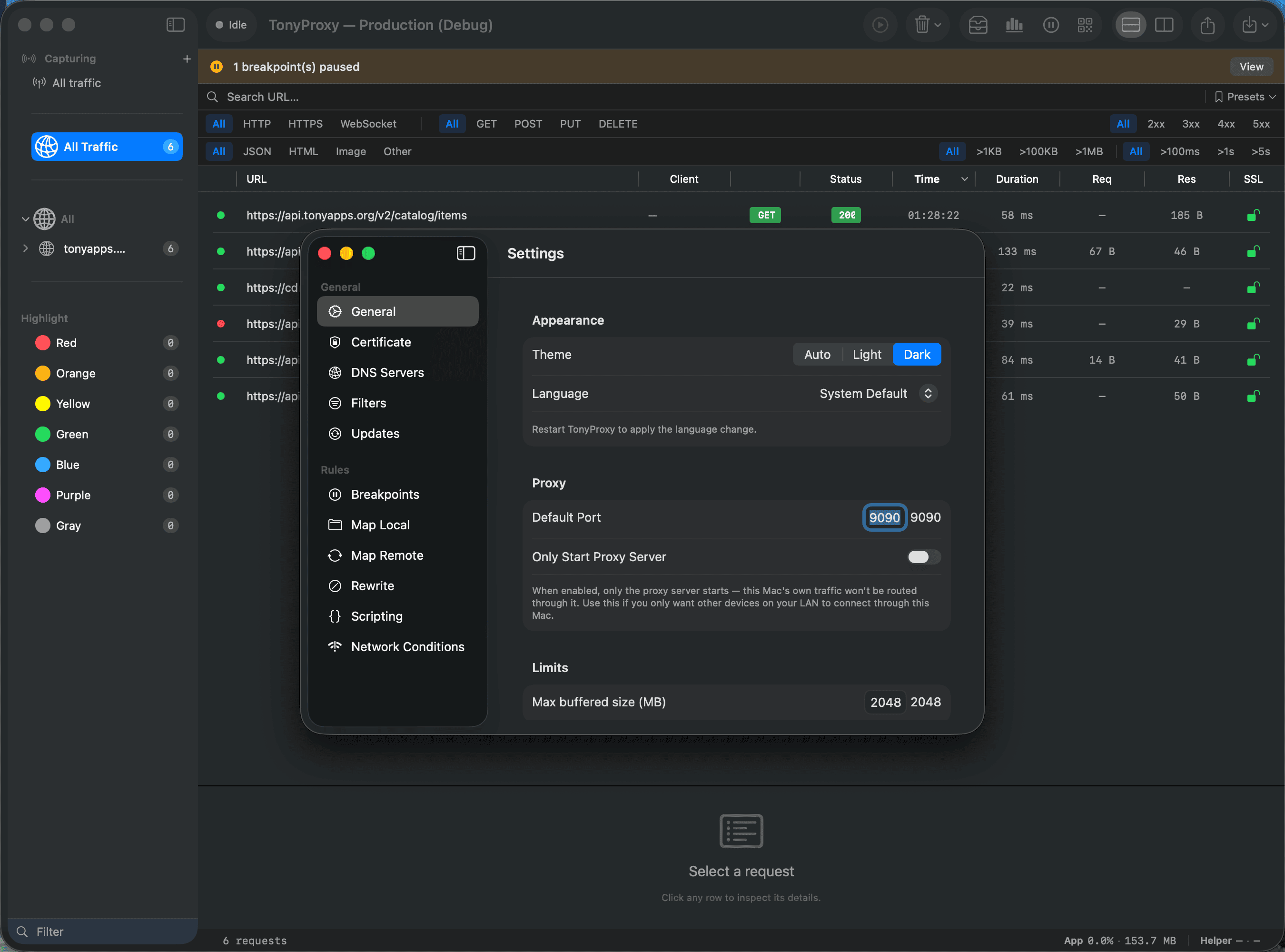
Every rule engine — breakpoints, Map Local, Map Remote, rewrite, scripting, network conditions — lives in one place, alongside the core proxy and certificate settings.

  • Dark, light, or system-matched appearance
  • Custom proxy port and buffered size limits
  • Scoped HTTPS decoding, on your terms
Settings
TonyProxy Settings window with general, proxy, and HTTPS decoding options

Analytics

Understand traffic instantly.

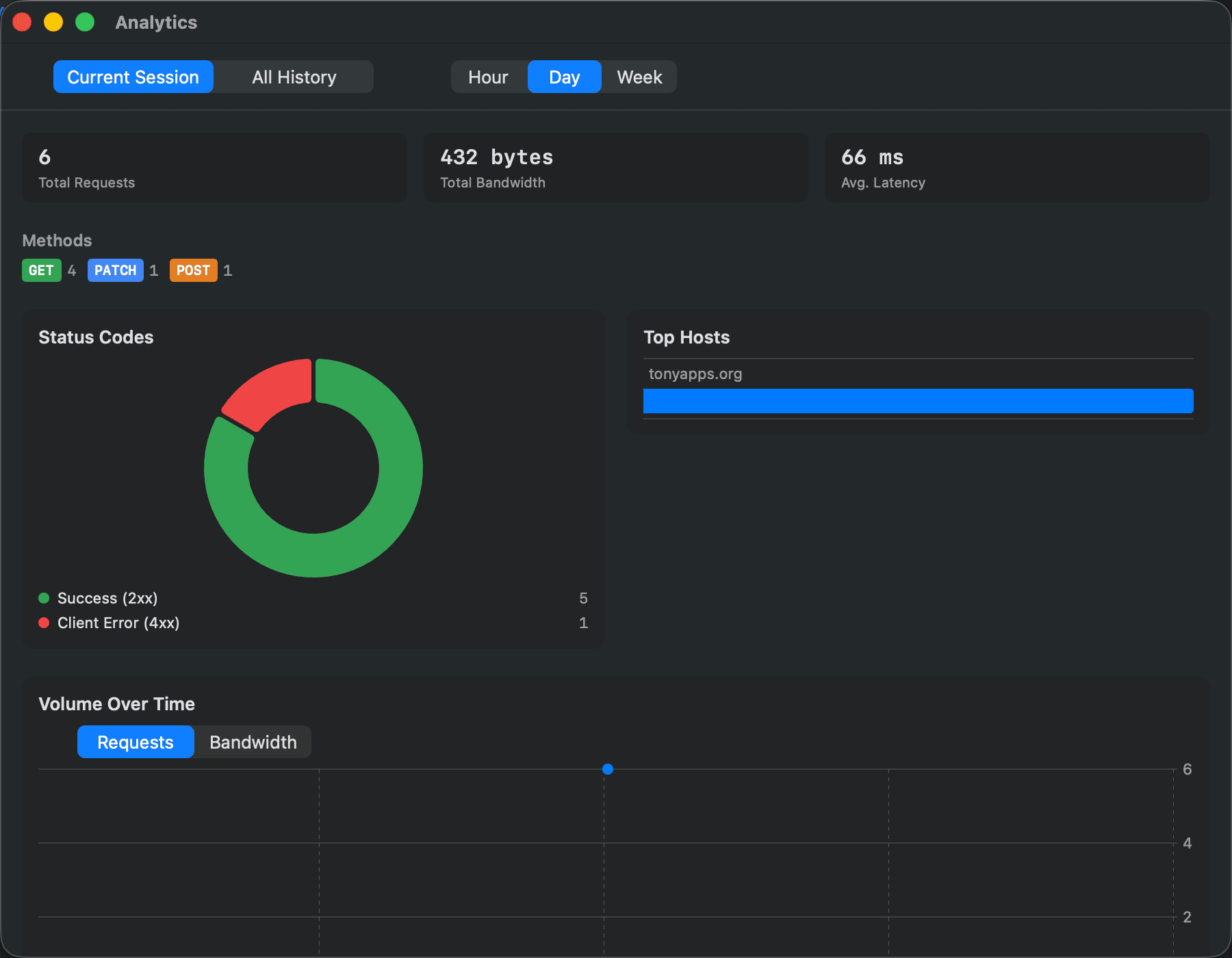
Visual dashboards for total requests, bandwidth, top domains, status codes, latency, and the full request timeline.

Analytics — Last 24 hours
TonyProxy Analytics dashboard with request stats, status code breakdown, and top hosts

Export Formats

Choose the format that fits your workflow.

HAR cURL NDJSON CSV Postman Collection OpenAPI TonyPack

Privacy

Your traffic belongs to you.

TonyProxy never uploads captured traffic. Everything stays on your machine unless you explicitly export it. Privacy first, always.

No cloud processing No telemetry Stays on your Mac

TonyPack

A complete session archive format.

Export on one machine. Import on another. Everything stays intact.

Machine A

.tonypack

Machine B

RequestsResponsesBodies CommentsColorsMetadata TimingReplay Info

Why TonyProxy

Not built with Electron.

Built to feel like part of macOS.

Native macOS application
Built entirely with Swift
Native Apple Silicon
Beautiful dark mode
Full keyboard shortcuts
Follows macOS conventions
Privacy-first
Developer focused

Who Is It For

Built for people who ship.

iOS Developers
macOS Developers
Android Developers
Backend Engineers
QA Engineers
API Developers
Security Researchers

Story

Why I Built TonyProxy

TonyProxy didn’t start as a business idea. It started as a tool I wanted to use every day.

As an iOS and macOS developer, I spend a significant amount of time debugging network traffic. Over the years I tried many excellent proxy tools, but I kept wishing for something that felt more native, more focused, and better suited to the way I work.

So I decided to build one.

TonyProxy began as a personal side project solving real problems I encountered during everyday development. Every feature exists because I genuinely needed it — replaying requests, organizing sessions, exporting complete archives, or simply making traffic inspection feel fast and enjoyable.

Version 1.0 is just the beginning. My goal isn’t to build the biggest proxy tool. It’s to build one that developers genuinely enjoy using every day.

If TonyProxy makes debugging even a little easier for someone else, then it’s already doing exactly what it was created to do. Thank you for trying it.

— NguyenHungA5

Open Development

Built in Public

TonyProxy is currently free to use. Right now, my focus isn’t monetization — my goal is simple: build a network debugging tool developers genuinely enjoy using.

I’m sharing early versions to gather feedback, improve the experience, and continue evolving TonyProxy together with the developer community.

If you find bugs, have feature requests, or simply have ideas, I’d love to hear from you. Every piece of feedback helps.

What's Next

What's Next

HTTP/3
gRPC
Plugin SDK
AI-Assisted Debugging
Session Diff
Performance Timeline
HAR Replay
Cloud Sync (maybe)
Linux support? 🤔
Windows? Maybe someday.

FAQ

Good to know.

Is TonyProxy free?

TonyProxy is free to download and try. Check the app for current pricing and licensing details.

Does it decrypt HTTPS traffic?

Yes. TonyProxy installs a local root certificate so it can decrypt traffic you choose to inspect — nothing is decrypted or sent anywhere without your certificate being trusted on that device.

What are the system requirements?

macOS 14 Sonoma or later, running natively on both Apple Silicon and Intel Macs.

Is my traffic sent to a server?

No. TonyProxy is privacy-first and works fully offline — captured traffic stays on your machine unless you explicitly export or share it.

What is TonyPack?

TonyPack is TonyProxy's session archive format. It preserves requests, responses, bodies, comments, colors, metadata, timing, and replay information — export it on one machine and import it on another with nothing lost.

Download

Start inspecting your traffic today.

Free to download. Native to macOS. No account required to get started.

Apple Silicon Intel

Checking latest version…